Build a Desk Monster.
A free kit for kids 8 to 12. The body is already standing on its base; your kid slides on the eyes, horns, arms, feet and tail, names it, and that's a real 3D model. Then we print it, in color, about two inches tall.
About an hour. Free, in a browser, nothing to install. No kid emails, ever.
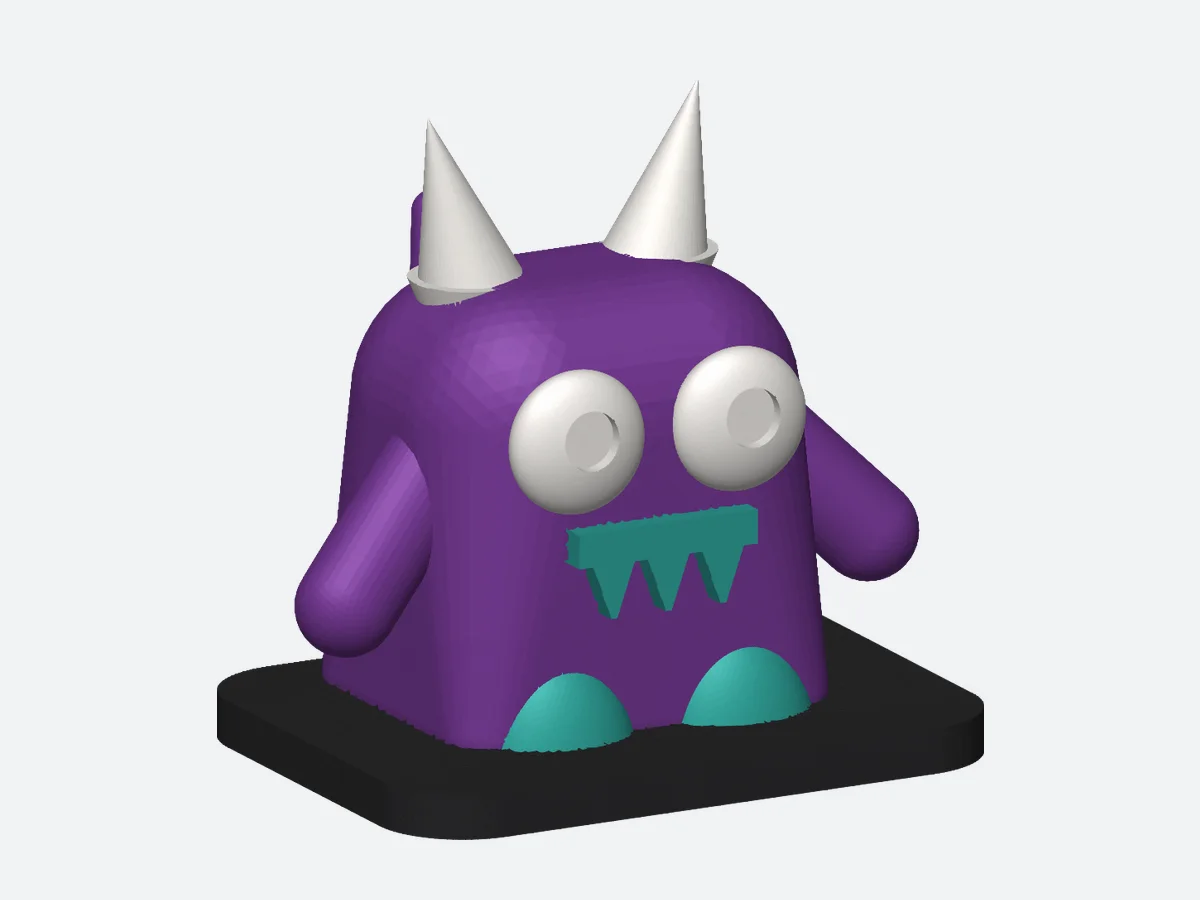 A sample build. Yours will be different.
How it works
Three steps. The only hard part is picking the eyes.
-
01
Get the kit
Enter your email below and we send you the kid card, the grown-up's guide, and the link to the parts tray in Tinkercad. Open it, click Copy and Tinker, and your kid has their own copy.
-
02
Build the monster
Every part already floats at the right height, so a kid only ever slides sideways. Eyes on the face, horns on top, arms on the sides, feet in front, tail out the back. Then type a name on the base.
-
03
We print it
Export the monster from Tinkercad and reply to our email with the file. We check it, quote it, print it in its four colors, and ship it. Or print it yourself; the guide has the settings.
What's in the kit
Two printable pages and one link. That's it.
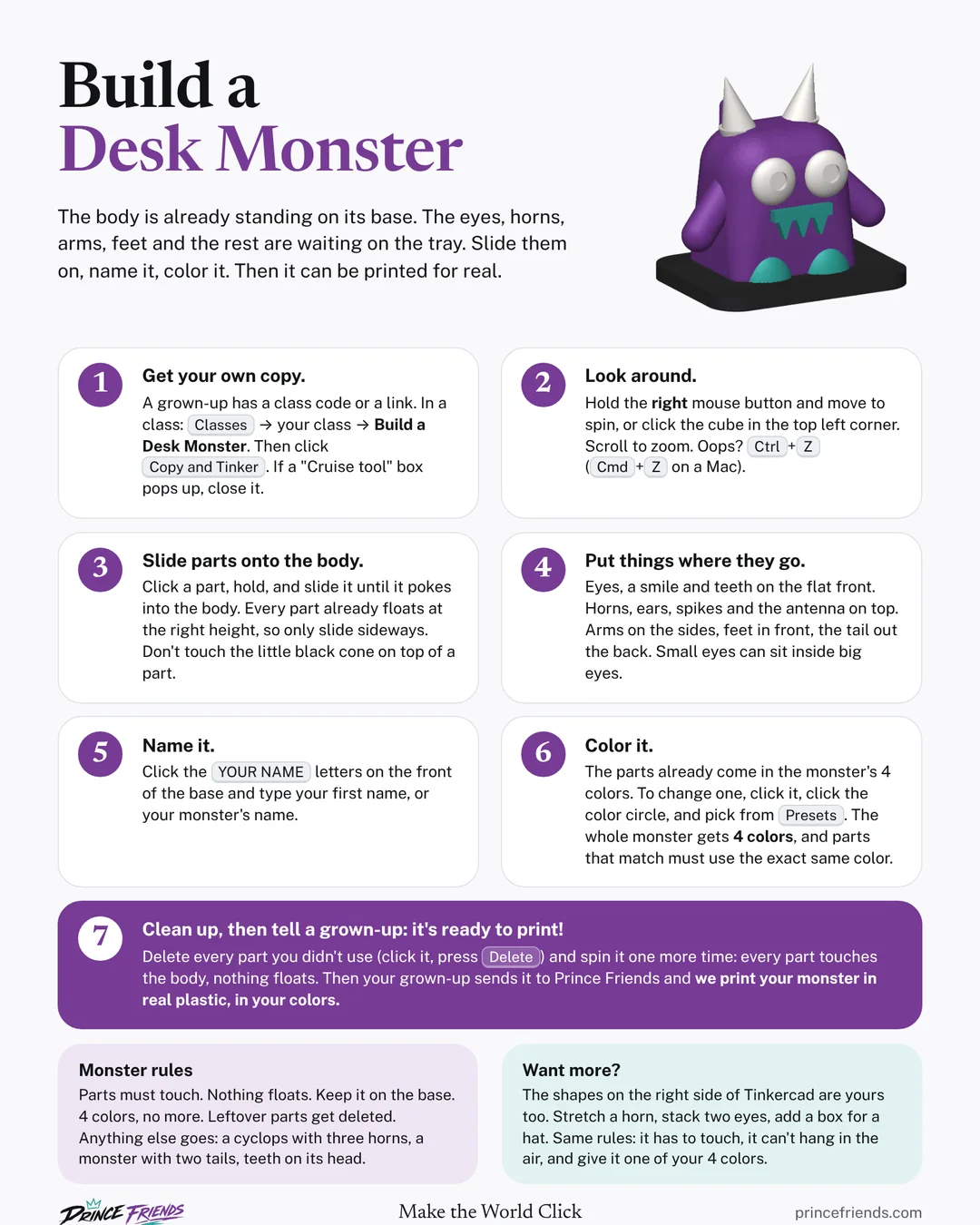
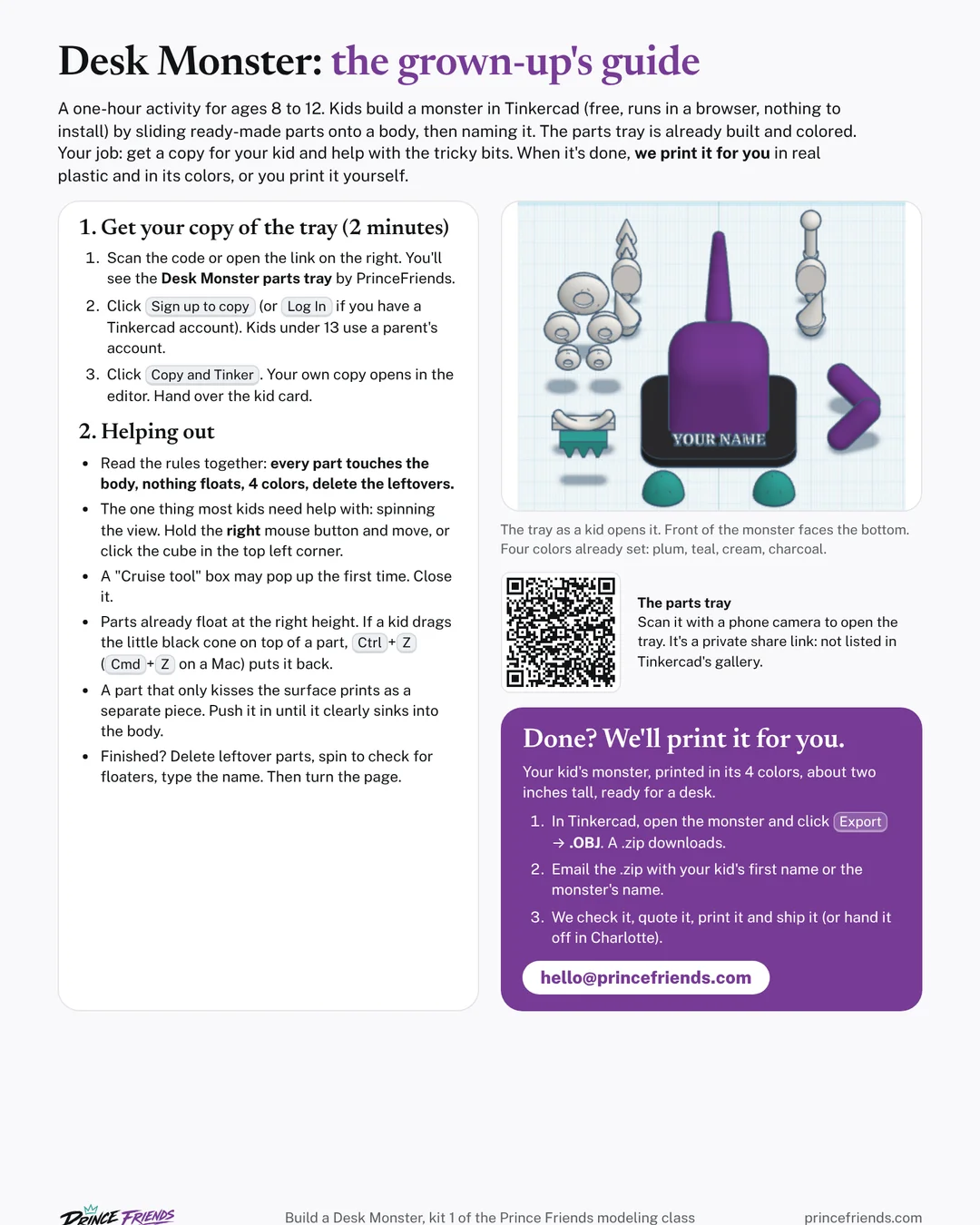
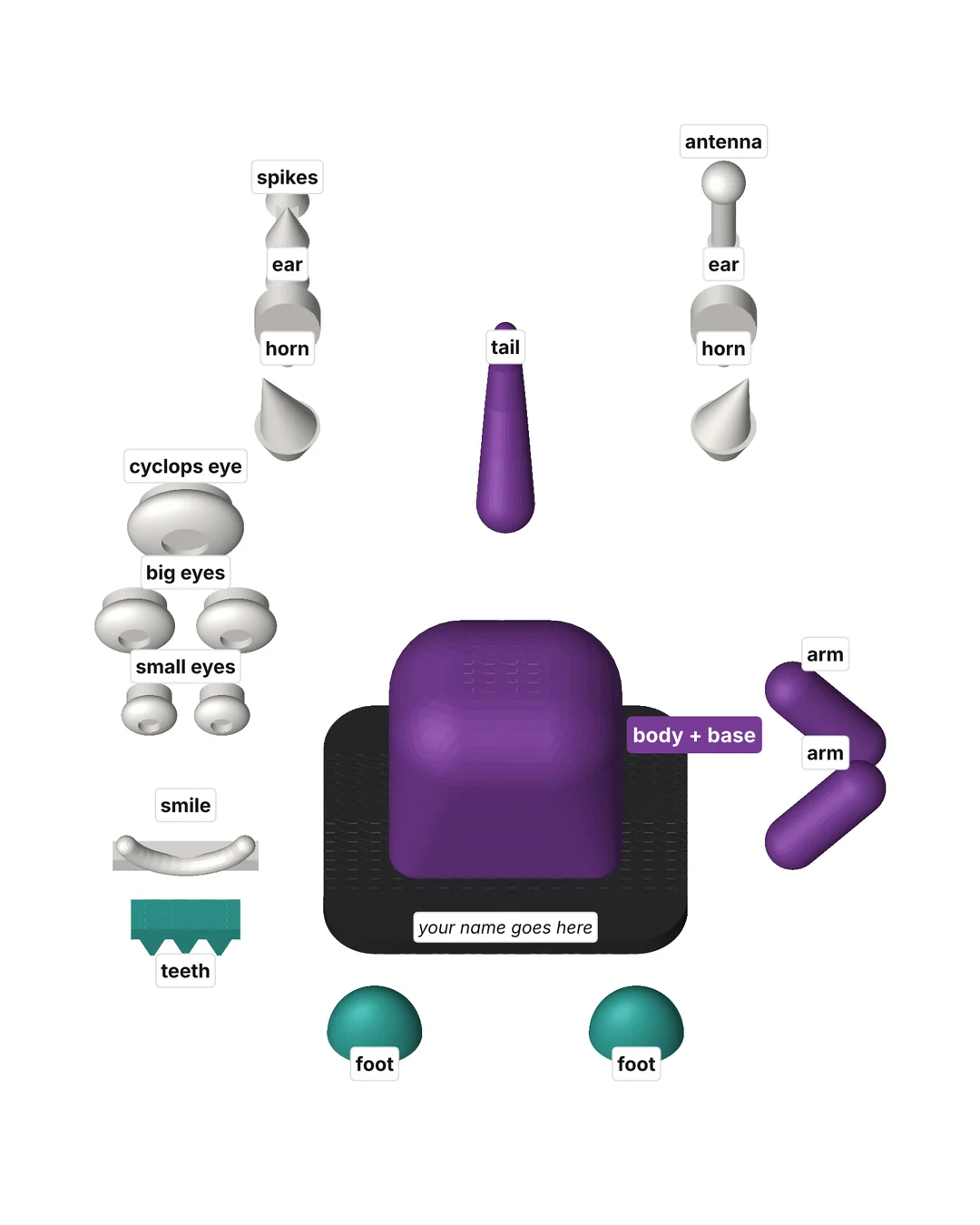
Get the free kit.
Tell us where to send it. The email arrives in a minute with the two pages and the Tinkercad link.
- The kit is free. Printing is quoted per monster, no surprises.
- A grown-up's email only. We never ask for a kid's name, age or email.
- We'll tell you when the next kit (a dragon) is ready. Reply "stop" any time.
The kit is on its way.
Check your inbox (and spam, just in case) for an email from Prince Friends. It has the two pages and the Tinkercad link. Go build a monster.
Done? We'll print it.
A finished monster is a real model, and ours is the printer it was designed for. Four colors, no supports, about two inches tall, with the name on the base. Export it from Tinkercad (Export → .OBJ) and reply to the kit email with the file. We check it, send you a quote, print it and ship it. Charlotte families can pick up.
Got a printer? The grown-up's guide has the settings, and a ready-to-slice sample.
A whole group of monsters?
We run Desk Monster workshops for birthday parties, scouts, libraries and school clubs. Kids join with a class code and a nickname, no emails, and every monster gets printed. Quoted per group.
Ask about a workshopQuestions
- What does it cost?
- The kit is free. If you want us to print the monster, we quote it per monster when you send the file. Printing it yourself costs you a little filament.
- Does my kid need an account?
- Tinkercad needs an account to copy the tray. Kids under 13 use a parent's account, or a parent signs them up on Tinkercad. We never see or store anything about the child.
- What ages is it for?
- Built for 8 to 12, with a grown-up nearby. Younger kids can do it with more help; older kids will start making their own parts from the shapes panel, which is allowed.
- What do I need?
- A computer with a mouse (a trackpad works, a mouse is easier) and a browser. Tinkercad runs on a Chromebook. Phones are too small for this one.
- Can they add their own stuff?
- Yes. Stretch a horn, stack two eyes, build a hat from the shapes panel. Two rules keep it printable: every part has to touch the body, and nothing floats in the air.
- What can't you print?
- Other people's characters and logos. A monster made from the kit is the kid's own design and prints as-is; if a kid adds a character that isn't theirs, it comes off first. The name on the base is a first name or a monster name, nothing more.